How To Delete Books From My Kindle

Let’s be real for a second: your Kindle is probably a lot like your kitchen junk drawer. It started out tidy, with just a few essentials. But then, one free book about raising...
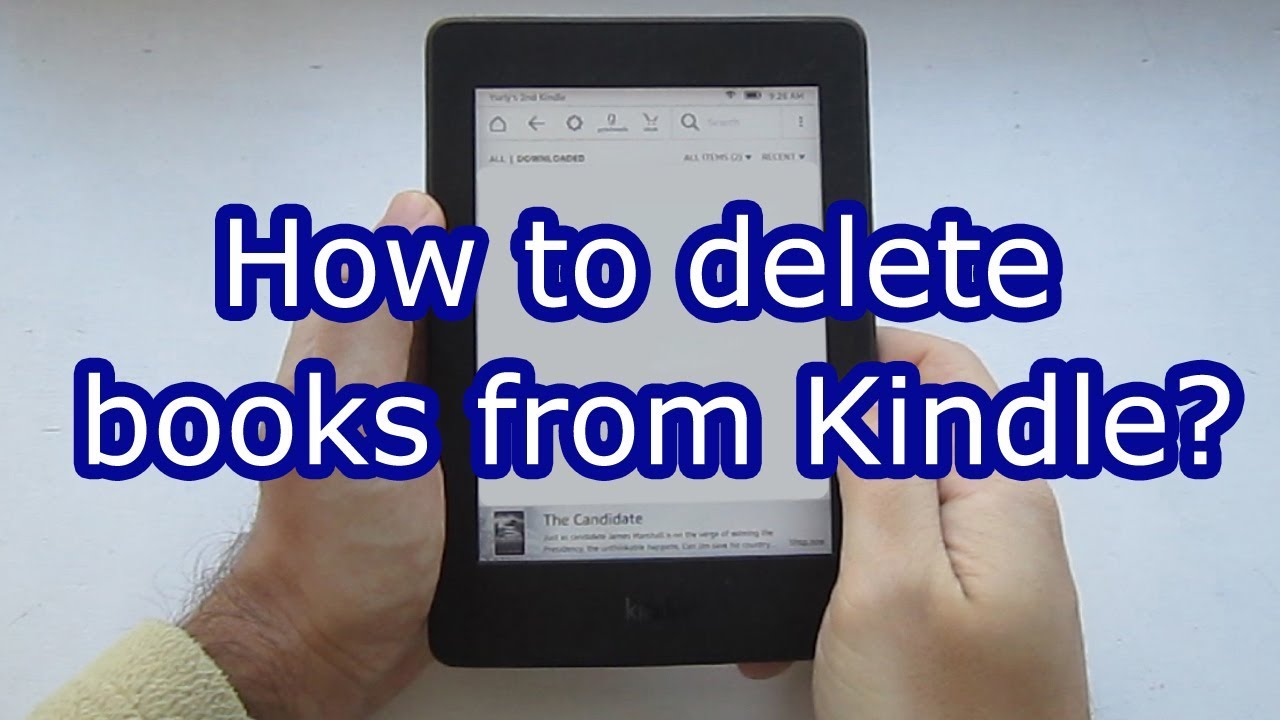
Let’s be real for a second: your Kindle is probably a lot like your kitchen junk drawer. It started out tidy, with just a few essentials. But then, one free book about raising backyard chickens snuck in, followed by that thriller you swore you’d read on vacation, and then three samples of books you’ve already forgotten. Suddenly, you’re scrolling through a digital landfill every time you just want to find your next read. Sound familiar? It’s time to reclaim your sanity.
Deleting books from your Kindle isn’t just about “cleaning up.” It’s about making your device feel like your personal library again, not a cluttered bargain bin. When you have fewer choices staring you in the face, picking a book actually feels exciting instead of exhausting. Think of it as Marie Kondo for your e-reader: only keep the stories that “spark joy.”
The Escape Plan: Sending Books to the Cloud
First up, the good news: deleting a book from your Kindle device is not the same as destroying it forever. Amazon keeps a copy of every single purchase in your “Cloud” (a fancy word for “Amazon’s giant digital attic”). So if you panic-delete something, you can always download it again. That’s like being able to fish a worn-out paperback out of the donation bin whenever you want—magical, right?
Must Read
To start your digital spring cleaning, wake up your Kindle and tap the top of the screen. This calls up a menu. You’ll want to tap “Your Library” or “Library” to see your list of books. On most modern Kindles, you then press and hold the cover of the book you want to evict. A pop-up menu will appear, and you’re looking for the option that says “Remove from Device.” Go ahead and tap it—I promise no sirens will go off.
The Long Press Method (For the Patient Reader)
If you’re the kind of person who likes a slow, deliberate process (like that friend who actually reads the instruction manual), the “long press” is your best friend. Once you hold down the book cover, you’ll see a list of actions. Just tap “Remove Download” or “Remove from Device.” The book will vanish from your Kindle’s memory, but it will remain safe in your Amazon Cloud. It’s like putting a photo album in the attic instead of throwing it in the trash—you can visit it later.
I did this last week with a book called The Art of Fermentation. I bought it in a fit of kombucha-making ambition, but after reading chapter one, I realized I’d rather just drink the stuff. Gone in a tap. The book is still waiting for me in the cloud if I ever become a sauerkraut wizard.
 How to remove books from Kindle?
The Multi-Select Method (For the Speed Cleaner)
Are you a delete-all-the-emails type of person? Do you rip through your inbox before breakfast? Then you need the multi-select method. This lets you clear out a dozen books in under ten seconds. On most Kindle models, you go to your Library, tap the three dots in the top-right corner (those dots are like the Swiss Army knife of digital life), and then tap “Select Multiple.”
Now, just tap every book cover you want to say goodbye to. They’ll get a little checkmark. Then, look for the “Remove from Device” button that pops up. Poof! You just decluttered faster than you can microwave popcorn. I did this recently after realizing I had accidentally downloaded four different versions of Moby Dick. One is a classic; four is just showing off.
What About the “Delete Permanently” Button?
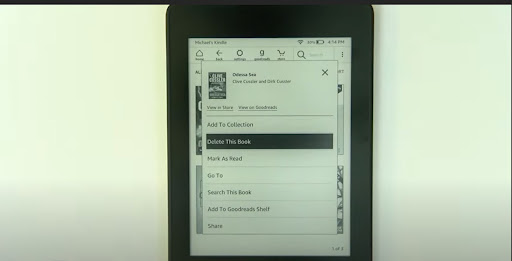
Okay, here’s where it gets serious. What if you actually want a book gone from your Amazon account entirely? Maybe you accidentally bought a duplicate, or you read a book that was so bad it made you angry (we’ve all been there). You can permanently delete a book from your account, but you have to do it on Amazon’s website, not on the Kindle itself. Go to “Manage Your Content and Devices” on your computer or phone browser.
 How to Remove Books From Kindle Library? | The WiredShopper
Find the book, click “Actions,” and choose “Delete.” Amazon will ask you if you’re sure. This is the moment of truth. Once you confirm, that book is gone for good—like that ex you blocked on social media. Only do this for books you truly never want to see again. I used this on a self-published romance novel that had more typos than pages. Goodbye forever, “Lord Sterling’s Forbidden Zucchini.”
Why You Should Bother (The Real Reason)
Here’s the warm, fuzzy truth: clearing out your Kindle is an act of self-care. When your library is full of unfinished samples, abandoned genres, and books your cousin recommended that you secretly hated, it weighs on you. It makes you feel guilty every time you see it. Think of it like a closet full of clothes that don’t fit—you never wear them, but they hang there, judging you.
When you delete those books, you free up mental space. You make room for new stories that actually excite you. Plus, your Kindle will load faster and your battery will last a tiny bit longer. So go ahead, be ruthless. Delete that old cookbook you never opened. Delete that dense history book you bought for a class five years ago. Your future reading self will thank you. And if you ever miss a book? It’s still in the cloud. Just like that old photo album—waiting for you to remember it fondly, one tap at a time.
